What is MCP?
The Model Context Protocol (MCP) is a standard way for language models and AI agents to interact with external data sources and backend systems.
What do I use MCP for?
- External use: Enable your customers to interact with your business through an agent
- Internal use: Understand your org's APIs so you can:
- Explore the data and capabilities available
- Build new features faster
- Write GraphQL operations easily
Understanding the architecture
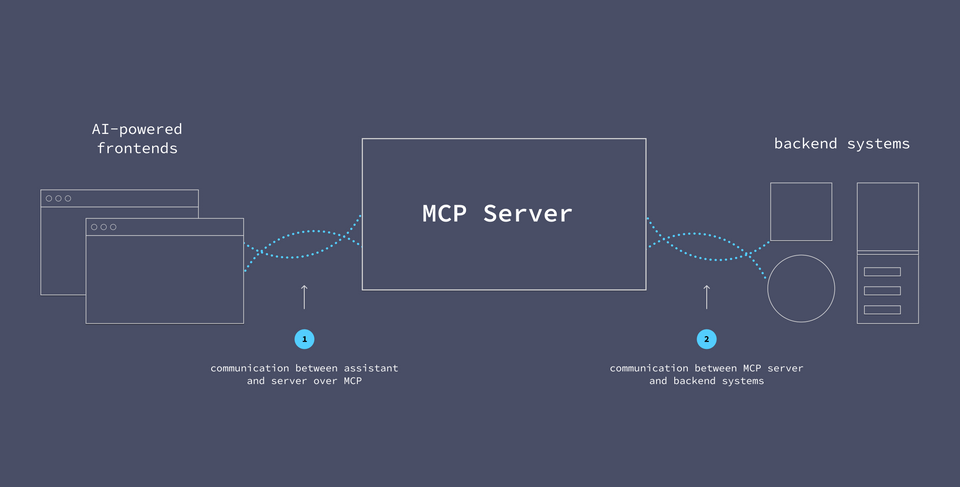
Rather than giving an AI agent direct access to our systems, we can position our MCP server as an intermediary. It acts as a bridge between the agent and our systems, allowing us to control what the agent can and can't do, and by extension, which data it can and can't see.
To help the MCP server do its job, we equip it with MCP tools.
MCP Tools
An MCP tool is a function that the MCP server can invoke.
Basic tools will specify at least a name, description, and inputSchema. The inputSchema defines the JSON schema for any required inputs the assistant needs to provide when calling the tool.
Additionally, tools can define optional annotations. These give the LLM hints about the tool's behavior, which can provide just a bit more information about what happens behind the scenes when the tool is used.
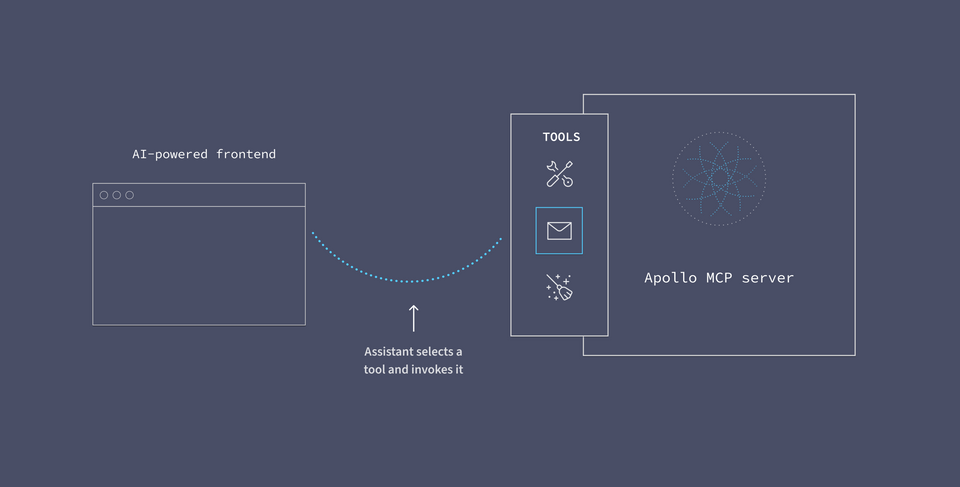
A tool's description helps the AI agent understand its purpose. When powered by an LLM like Claude, the agent can use its broad understanding of language and semantics to determine which tool is most appropriate when responding to a user's question.
Using tool descriptions, the MCP server can determine which tool to invoke based on the user's request.
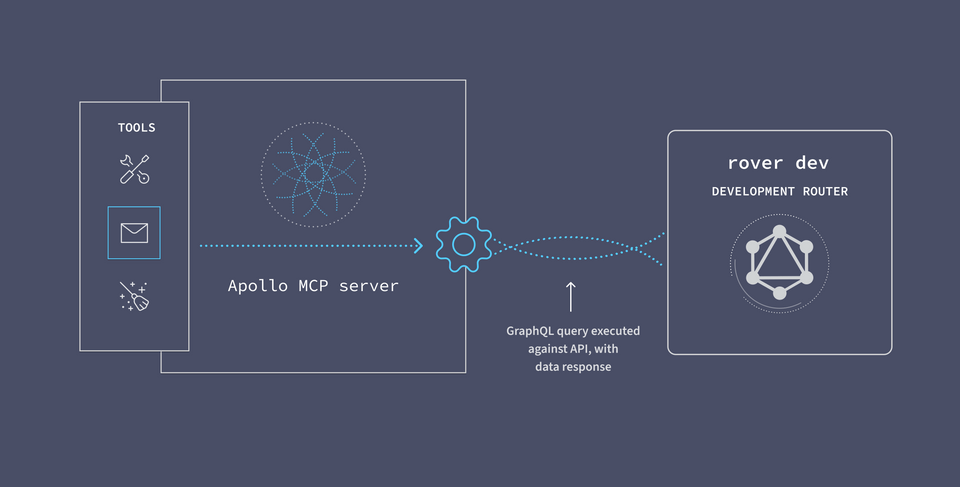
After the user grants permission for the MCP server to invoke a tool, the MCP server will run the actual logic behind the scenes.
The Apollo MCP Server
In the case of the Apollo MCP Server, the tool comes in the form of a GraphQL operation. The server uses the self-documenting GraphQL schema to tell the agent everything it needs to know about each tool's purpose.
With GraphQL, we can write specific queries that request data from multiple backend services all at once. GraphQL does the heavy-lifting of API orchestration for us.
It also helps ensure that authentication policies are enforced, that APIs are called in the right sequence, and that only the appropriate data is used and returned.
To use the Apollo MCP server, you need a GraphQL API, a graph, that brings all your services behind one endpoint for the MCP server to call.
Server to API communication
On the other side of the equation, we need our MCP server to be able to communicate with our backend services. We can execute queries against the API by sending them to the local router.
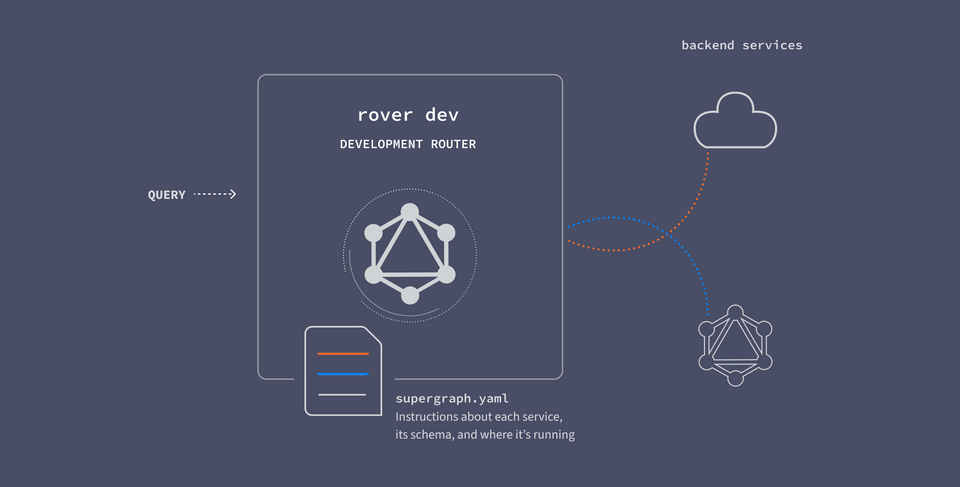
The router works by receiving GraphQL queries, breaking them up across the responsible backend services, and returning the response.
In the case of the Apollo MCP Server, the tool comes in the form of a GraphQL operation.