Overview
In this module we will cover how to progressively migrate fields from one subgraph to another.
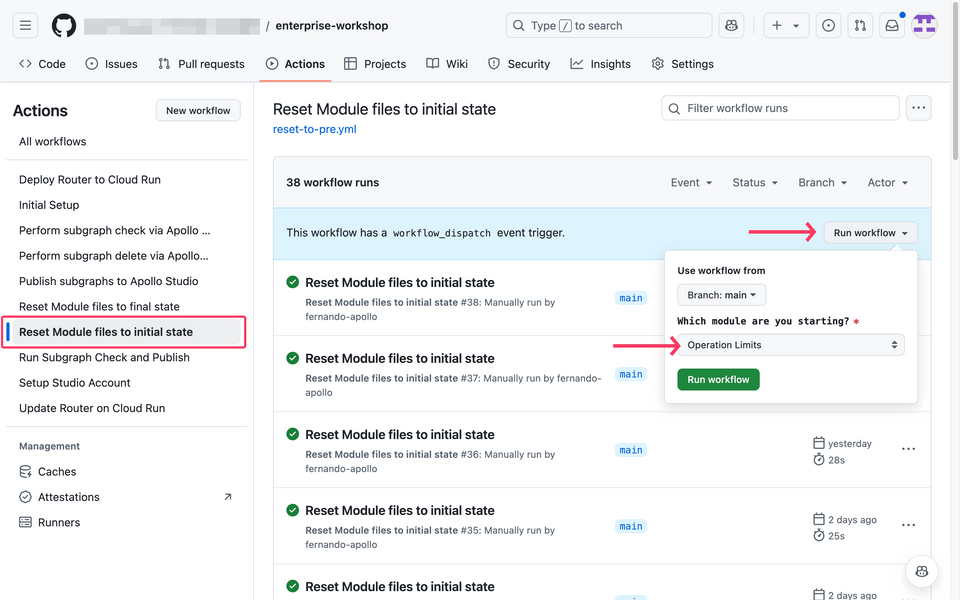
By utilizing @override and the label parameter, we can gradually migrate fields to a different subgraph. This allow services to accommodate for the new traffic, and avoid potentially degrading your graph.
Progressive override
Directives in focus: @override
The @override directive has two parameters:
from (required) - indicates the subgraph that no longer resolves that field
label (optional) - a string of arbitrary arguments
percent(<percent-value>)- GraphOS Router supports apercent()label to specify the remaining percentage to be resolved from the other subgraph
The current state
In this module, we are going to incrementally migrate two fields from the orders subgraph into the customers subgraph: User.email and User.phone.
First, let's see what the current state of things are.
In the Explorer, paste the following operation to get the order information.
Original field source subgraphquery GetOrderInfo($orderId: ID!) {order(id: $orderId) {idbuyer {emailphone}}}In the Variables panel, copy and paste the following JSON payload:
{ "orderId": "1" }Execute the operation by clicking the Play button in the top-right of the Operations panel.
https://studio.apollographql.com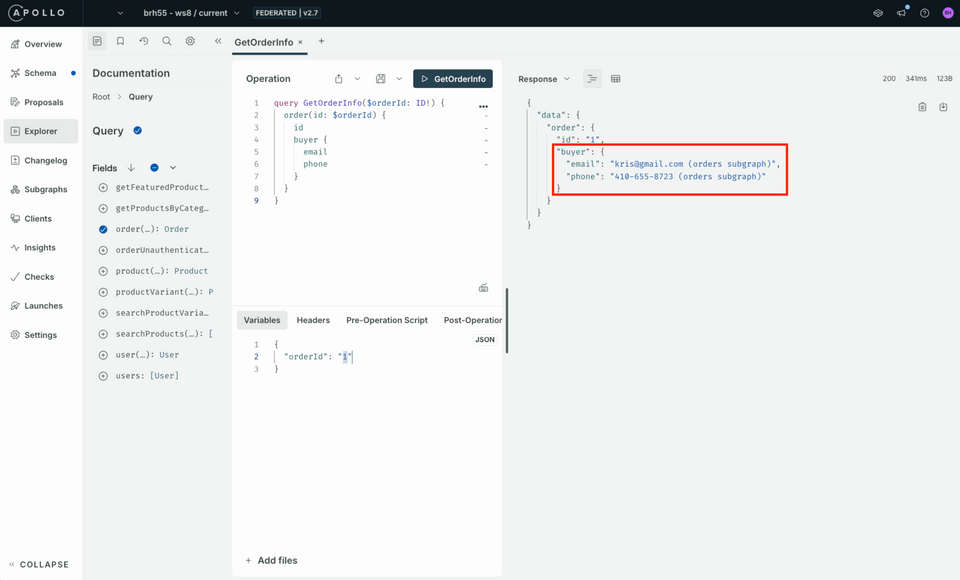
For demonstration purposes, you will see the
(orders subgraph)indicated in the field responses.
Using the @override directive
Let's use the @override directive to gradually roll over 50% of the email and phone fields to the customers subgraph.
Open the
customers-schema.graphqlfile located in the root folder of the repository.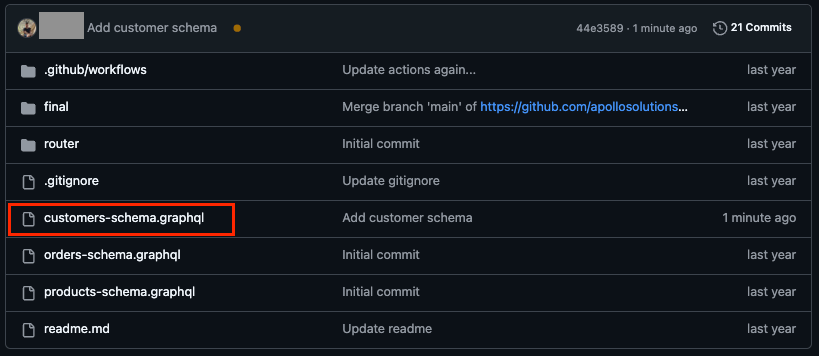
Add the
@overridedirective within your imports in the@linkdirective at the top../customers-schema.graphqlextend schema@link(url: "https://specs.apollo.dev/federation/v2.8", import:["@key","@requires","@external","@tag","@override"])Remove
@shareableand append the@overridedirective to theUser'sphoneandemailfields.We'll specify that it's coming
fromtheorderssubgraph and designating thelabelto be 50% of traffic:"percent(50)"../customers-schema.graphqlphone: String@tag(name: "private")@override(from: "orders", label: "percent(50)")email: String!@tag(name: "private")@override(from: "orders", label: "percent(50)")Commit your schema changes and wait for your changes to publish.
Testing our changes
Let's make a few requests for the orders information.
In the Explorer, let's run the operation again to get the order information.
Original field source subgraphquery GetOrderInfo($orderId: ID!) {order(id: $orderId) {idbuyer {emailphone}}}In the Variables panel, copy and paste the following JSON payload:
{ "orderId": "1" }Run the operation a few times and notice the data returned.
You should see some responses from the
customerssubgraph, and some from theorderssubgraph.https://studio.apollographql.com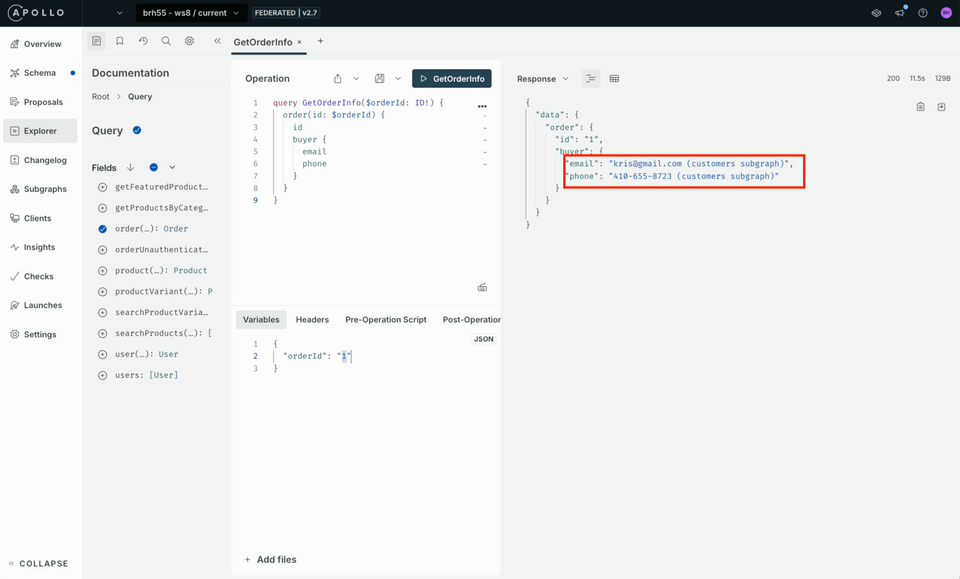
In production, when you can safely rollover, you will eventually want to remove the label parameter and remove the field references from the original subgraph.
Up next
In this module, we've covered how progressive override allows us incrementally migrate fields. In the next section, we will learn how to enable real-time reviews to our e-commerce graph.