Follow-along: Debugging Connectors
You can use the Connectors Debugger to dig deeper into the details of your Connector network requests. Let's try adding a field that doesn't exist in the REST API response.
Add a
urlfield to theProducttype.products.graphqltype Product {id: ID!name: Stringdescription: Stringcategory: Stringurl: String}Add
urlto theselectionproperty of theQuery.productsConnector.products.graphqltype Query {products: [Product]@connect(source: "ecomm"http: { GET: "/products" }selection: """$.products {idnamedescriptioncategoryurl}""")}Save your changes.
rover devwill restart.Go to http://localhost:4000 where the local router is running. Add the
urlfield to the existing query.GraphQL operationquery GetProducts {products {idnamedescriptioncategoryurl}}We'll get data back, but we'll also see a warning icon. Click on it to open the Connectors Debugger panel.
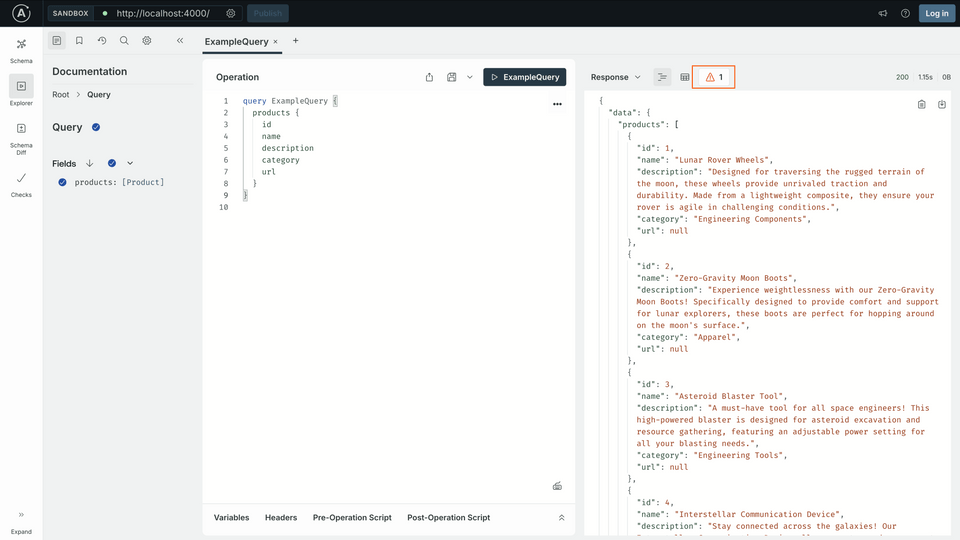
Click on the icon under Problems.
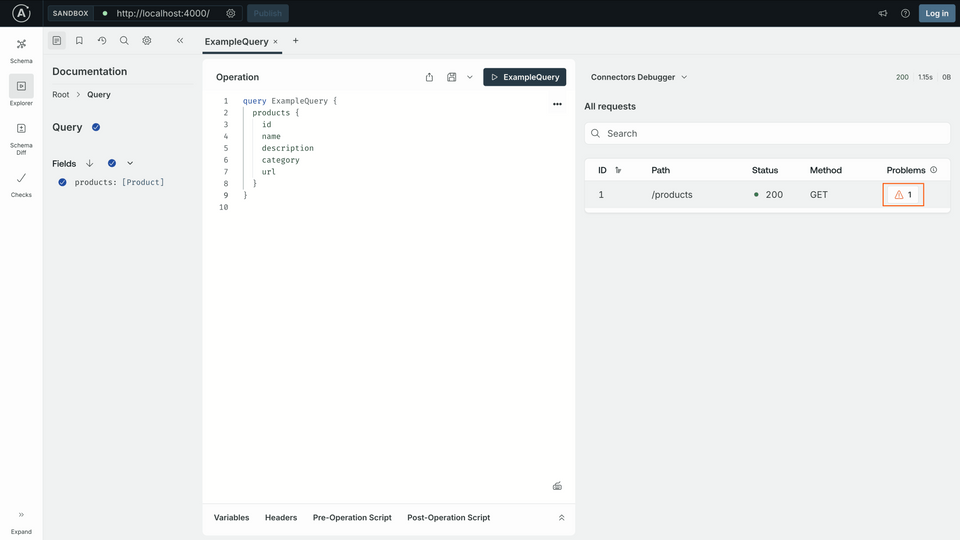
The message shows the error
Property.url not found in object. Click the code</>icon to open the Mapping Playground.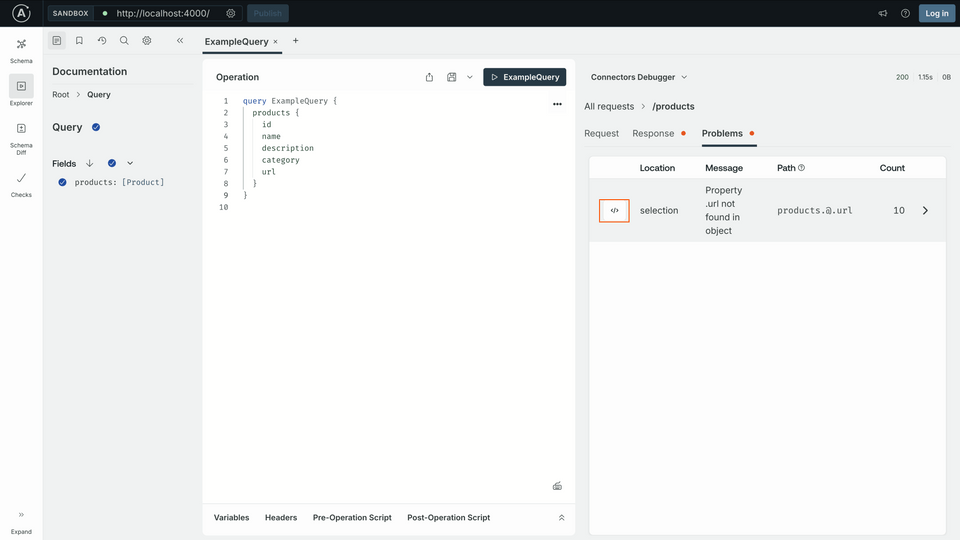
Connectors Mapping Playground
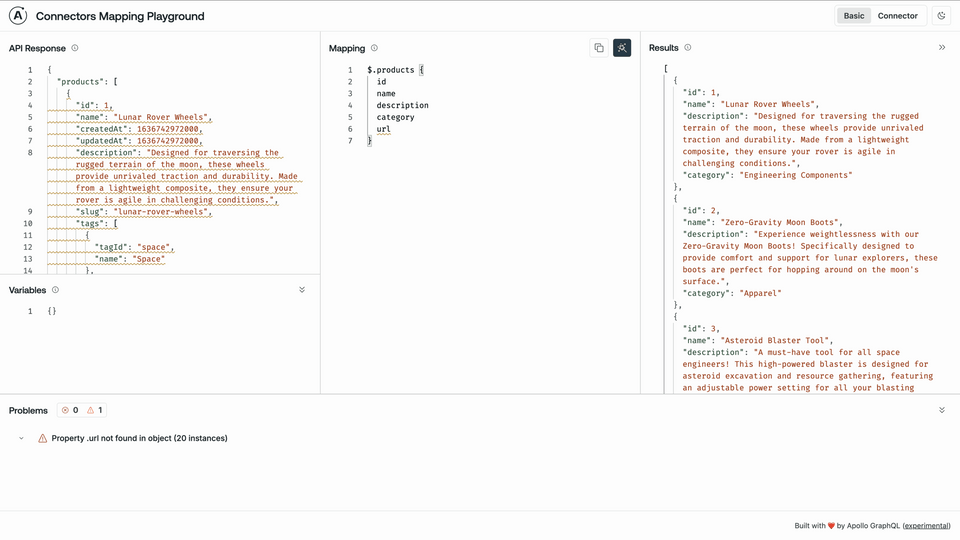
You can always use the playground to write and troubleshoot your Connector selection mapping.
- The REST API's JSON response body is on the left in the API Response panel
- The Connector's mapping
selectionis in the center Mapping panel - The results of the mapping are in the right Results panel
- When the errors are fixed and the results are what you expected, you can copy the mapping back into the
selectionproperty of the Connector in your schema
Fixing the selection
We want to take the slug value and map it to the url field in the schema. We can rename fields with the syntax newName: oldName, much like aliases in GraphQL.
In the mapping playground, edit the mapping to rename
slugtourlto remove errors.url: slug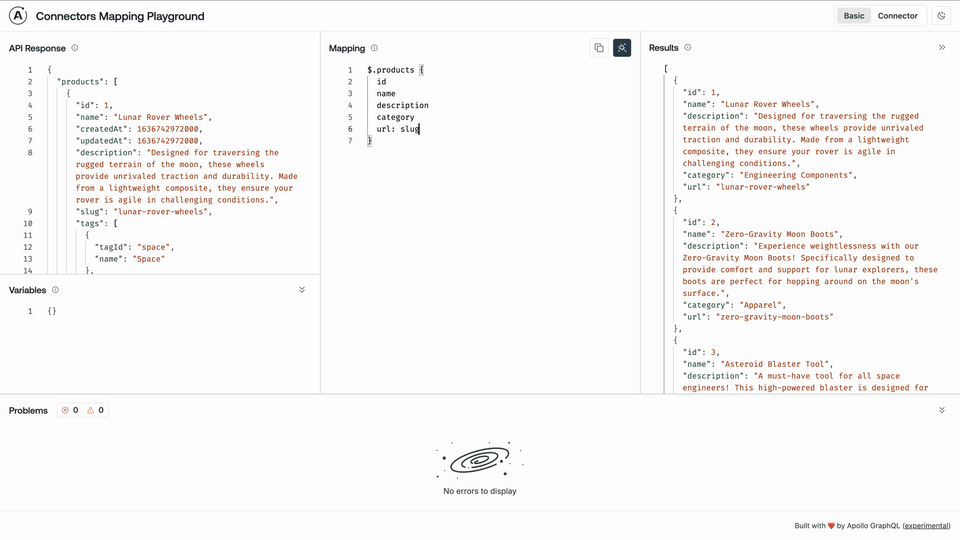
The error should go away!
In the
products.graphqlfile, find theselectionproperty and do the same renamingurl: slugproducts.graphqltype Query {products: [Product]@connect(source: "ecomm"http: { GET: "/products" }selection: """$.products {idnamedescriptioncategoryurl: slug}""")}Save your changes.
rover devwill restart.Go to http://localhost:4000 and run the query again. There should be no errors!
name but the schema defines it as fullName?