Follow-along: Connect our MCP Server to an AI agent
🎯 Goal: Connect our MCP Server to Claude, our AI agent.
Download Claude Desktop
We'll be using Claude Desktop to integrate and use our project.
Download and install it from Claude's official website.
Connect MCP Tools to CLaude
Open up Claude.
In the Application tool bar, open up Settings using
Cmd+,on MacOS.You can also access this through the main Claude menu dropdown.
Accessing settings on MacOS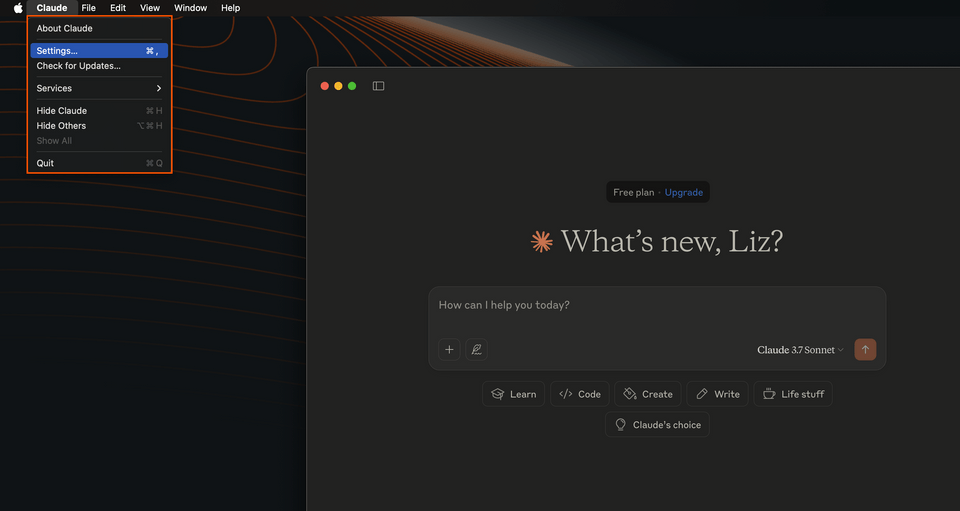
On Windows, click on the app's menu button in the top-left corner, then go to File, Settings.
Select the Developer option from the left-hand menu. In this window we'll see a short overview about Claude's compatibility with servers that use MCP.
Click Edit Config.
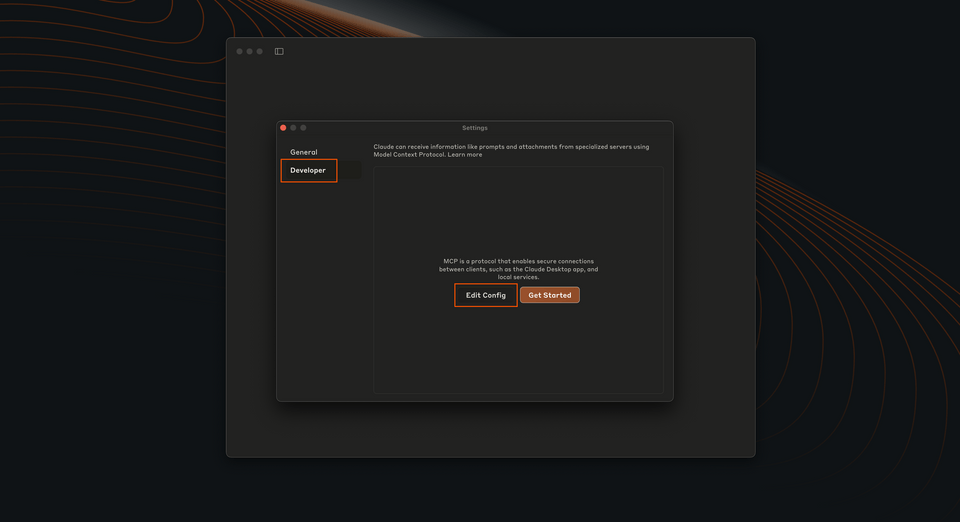
This will open a new file system window, opened to
claude_desktop_config.json. Open it in your code editor.If you're running a fresh installation of Claude, you'll probably see an empty config:
claude_desktop_config.json{}If you've played with MCP servers before, you'll probably have config defined here already. Copy your existing config and save it somewhere safe. Then, clear the file so we can start fresh and test our new MCP server in isolation.
Add the following config:
claude_desktop_config.json{"mcpServers": {"spacedevs-mcp": {"command": "npx","args": ["mcp-remote", "http://127.0.0.1:8000/mcp"]}}}We're naming our MCP server
spacedevs-mcpand giving Claude the command to run it using themcp-remotepackage.Note: We are using
mcp-remotebecause Claude Desktop currently doesn't support local streamable mcp servers.mcp-remoteis a developer tool that handles a streammable http connection and puts that into STDIO transport type for Claude Desktop to use.
Test the connection
Restart Claude.
Click on the Search & Tools button.
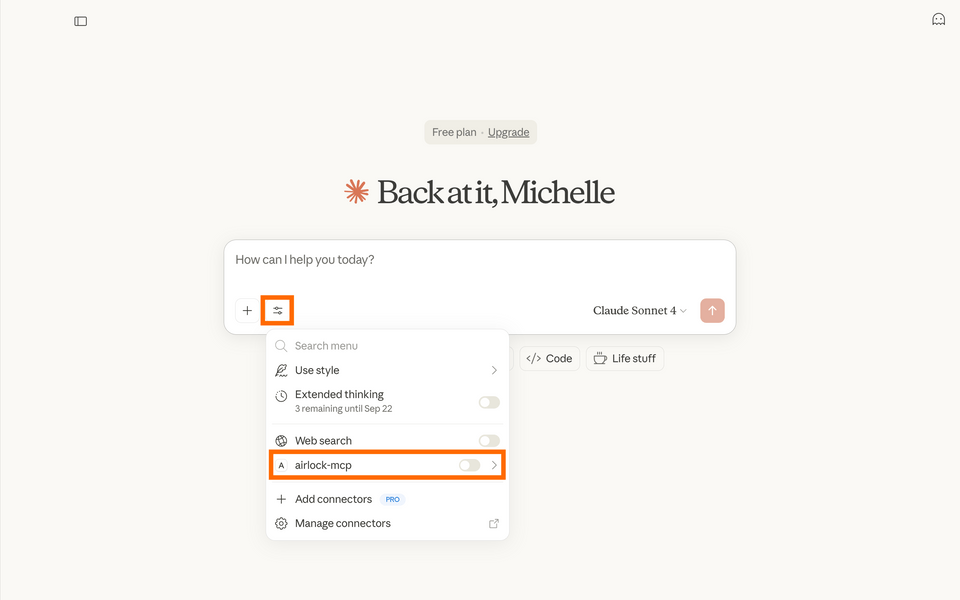
Ensure that the
spacedevs-mcpserver is toggled on.Try asking: "Can you tell me about the most recent launches and what the weather is at each site?"
Claude will ask to use a particular tool. Expand to see what tool it is. Click Allow once.
Troubleshooting tips
- Completely uninstall older versions of Node.js (
nvm uninstallif you're using NVM). Claude does not support older versions of Node.js and will try to use them if they exist on your machine, causing errors. - You may need to restart Claude a few times.
- Try stopping the MCP Inspector process.
- Check the Claude logs for any errors.