Overview
The track endpoint only returns module IDs. We'll fetch full module details with a separate data source method and keep that work in its own field resolver.
In this lesson, we will:
- Add a
getTrackModulesmethod toTrackAPI - Learn how resolver chains keep each resolver focused
- Implement a
Track.modulesresolver using theparentparameter
📥 Retrieving module details
To retrieve the module details for a given track, we'll need to use the GET track/:id/modules endpoint in our REST API.
Let's try out the endpoint, giving it our track ID c_0 again.
The response we get is an array of modules with the details that we need.
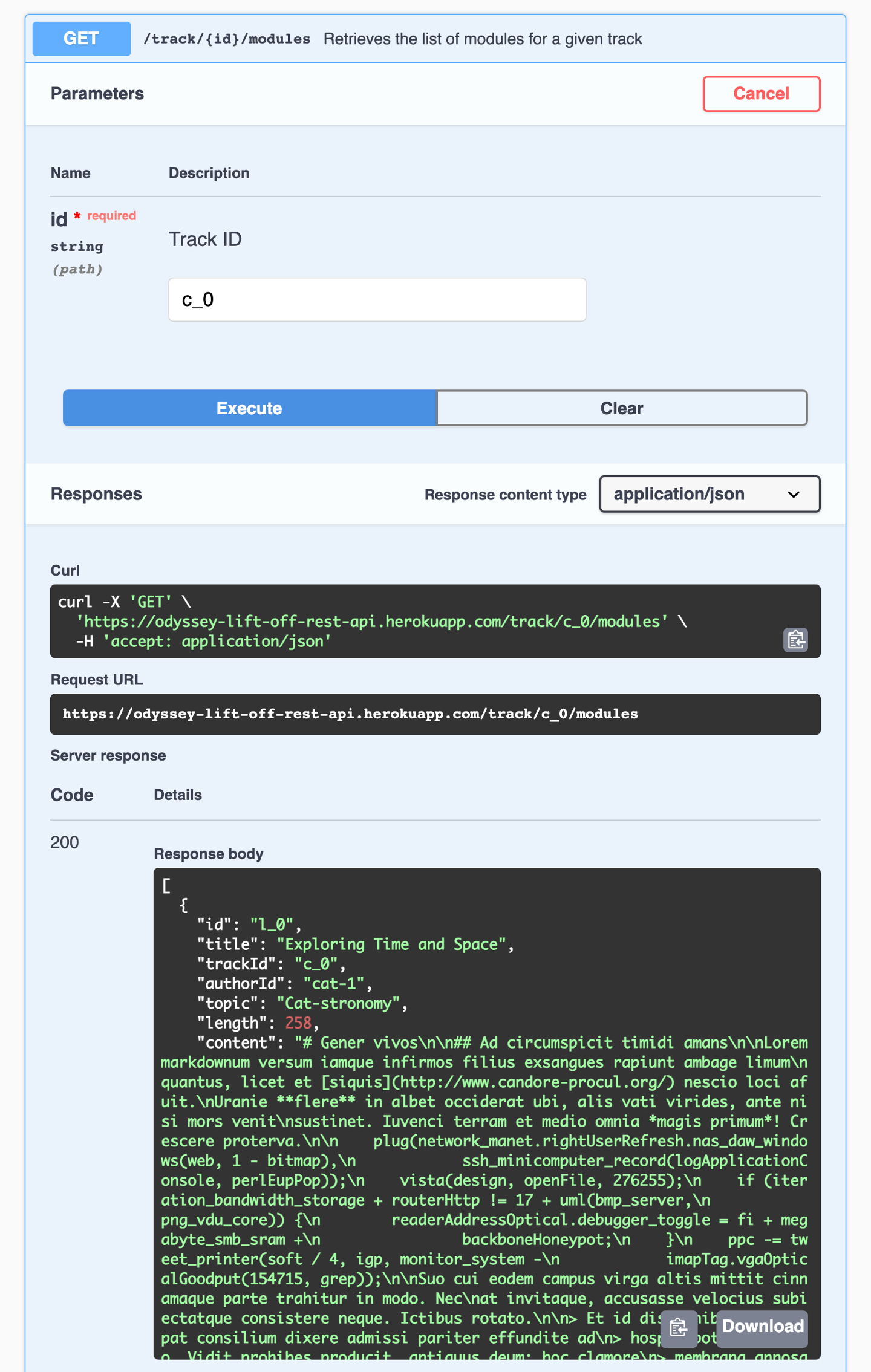
Our track page needs the id, title and length for now. Let's update our TrackAPI to call this endpoint.
💾 Updating the RESTDataSource
In the server/src/datasources folder, open up the track-api.jsfile.
Let's create a method called getTrackModules. It takes a trackId as a parameter. Inside, it'll make a get call to the track/${trackId}/modules endpoint and return the results.
getTrackModules(trackId) {return this.get(`track/${trackId}/modules`);}
Now we can use this new datasource method in our resolver. Let's hop back to the resolvers.js file in the server/src folder.
First let's determine where exactly we can place our call to get the details of a track's modules. We know that we need that information in our track query. But should we add the call here in the track resolver?
// EXAMPLE ONLY - should we add the getTrackModules call here in the track resolver?track: async (_, { id }, { dataSources }) => {// get track detailsconst track = await dataSources.trackAPI.getTrack(id);// get module details for the trackconst modules = await dataSources.trackAPI.getTrackModules(id);// shape the data in the way that the schema expects itreturn { ...track, modules };};
We certainly could. This is a similar problem to the one we faced in Lift-off II, when we were trying to figure out where to retrieve the author details for each track. We ended up extracting that logic to a different resolver: Track.author.
For the exact same reasons, we'll want to do the same here for our module details. Let's dig deeper into why.
⛓️ Resolver chains
We'll see this particular pattern often in GraphQL. When we write a query, we often have nested objects and fields. Take this query as an example:
query track(id: ‘c_0') {titleauthor {name}}
Remember that a resolver is responsible for populating the data for a field in your schema. It retrieves data from a data source. In our case, we have a resolver for our track field that retrieves data from the REST API /track/:id endpoint.
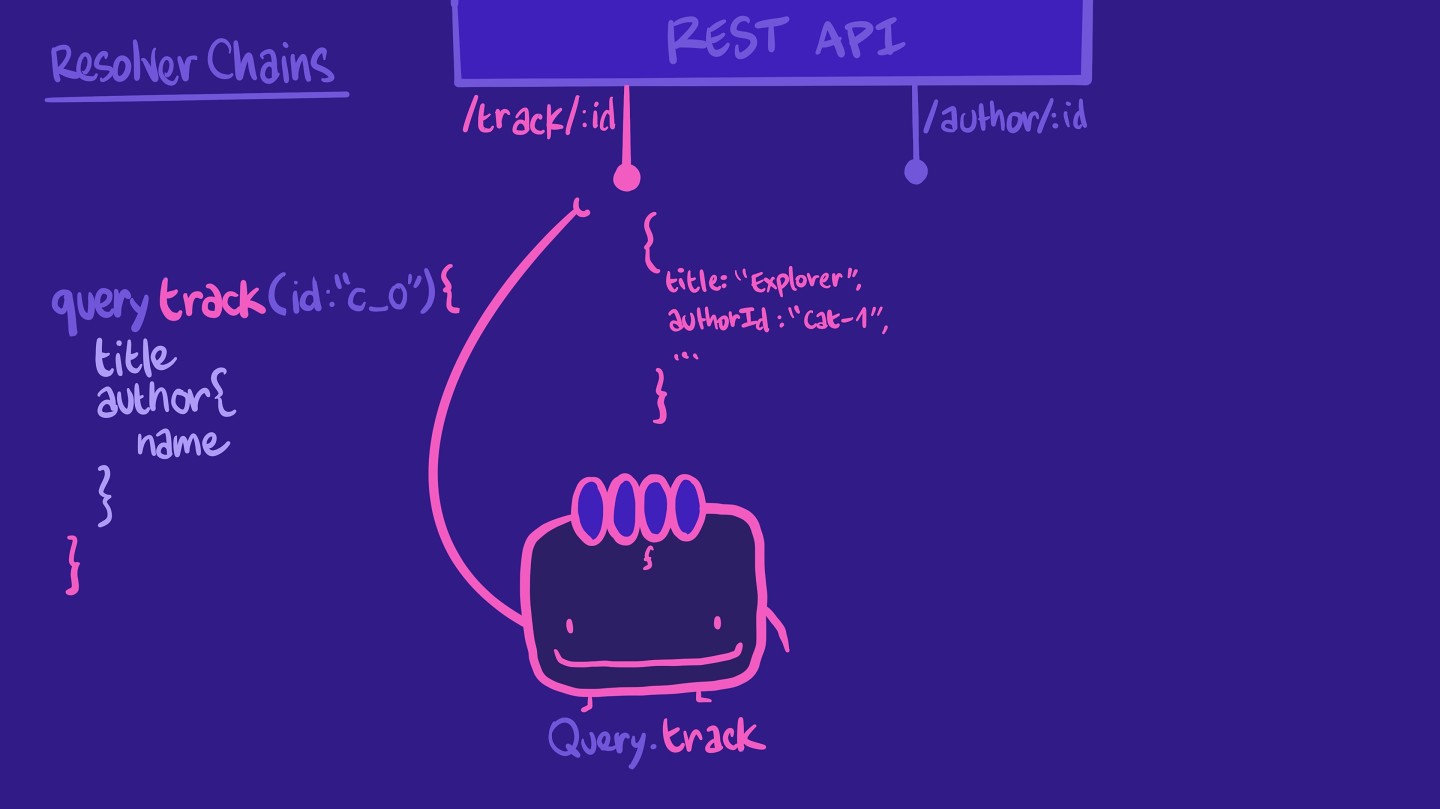
It returns some of the properties our query expects, such as title. It doesn't have the author name, but it does have the authorId, which is an ID we can use for another endpoint in our REST API, the author/:id endpoint.
We could tell this same resolver to make the call to the author/:id endpoint, and then put together the results in the shape our query expects.
However, this means that the resolver is a bit overworked! If the query doesn't ask for author information, the resolver would still do all of these unnecessary steps.
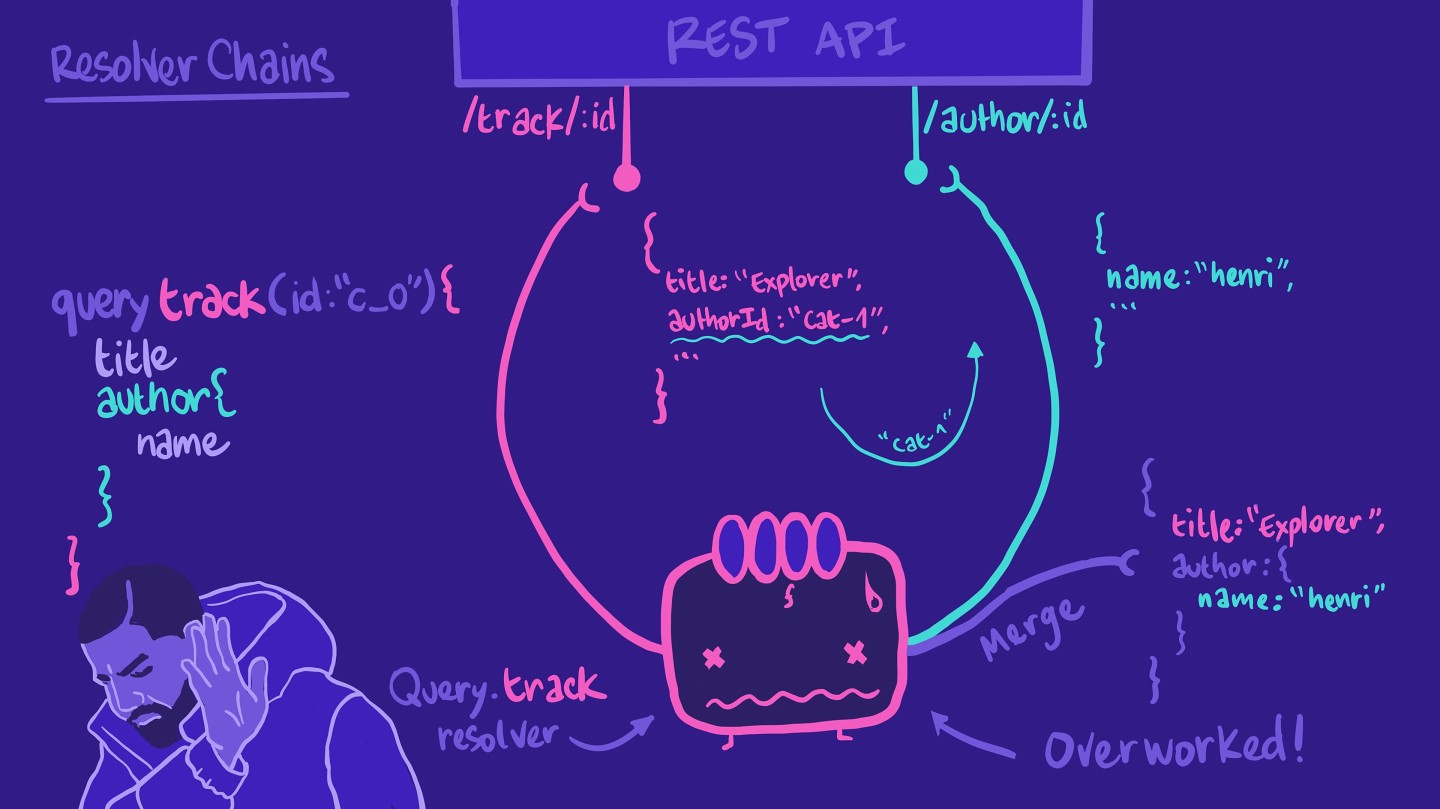
So instead of putting all of that work on our poor Query.track resolver, we can create another resolver function for Track.author. This resolver is responsible for retrieving author information for a specific track. With that, we're forming a resolver chain!
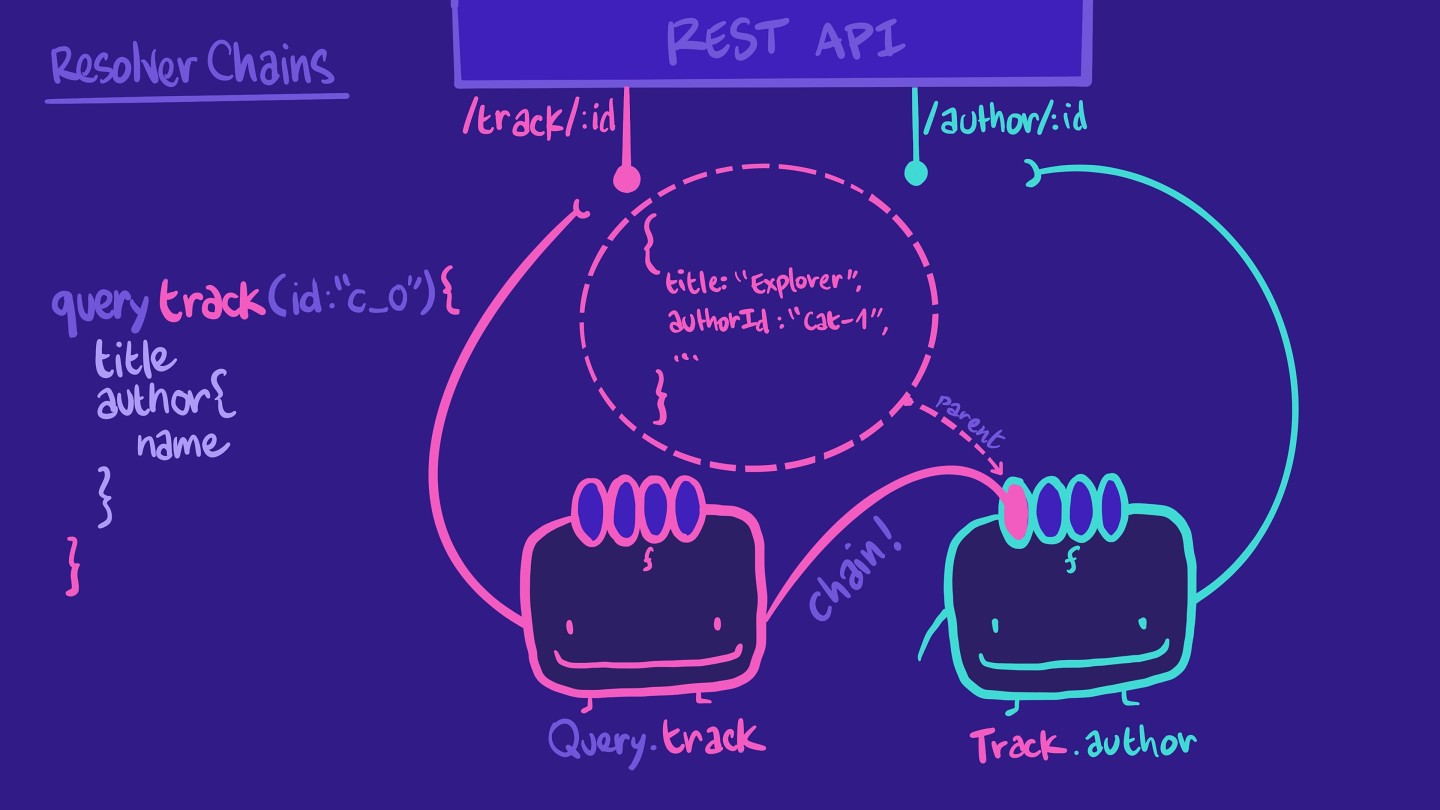
And remember the first parameter in a resolver-- the parent? parent refers to the returned data of the preceding resolver function in the chain! That's how we get access to the authorId from the track object, in our Track.author resolver. Additionally, the Track.author resolver will only be called when the query asks for that field!
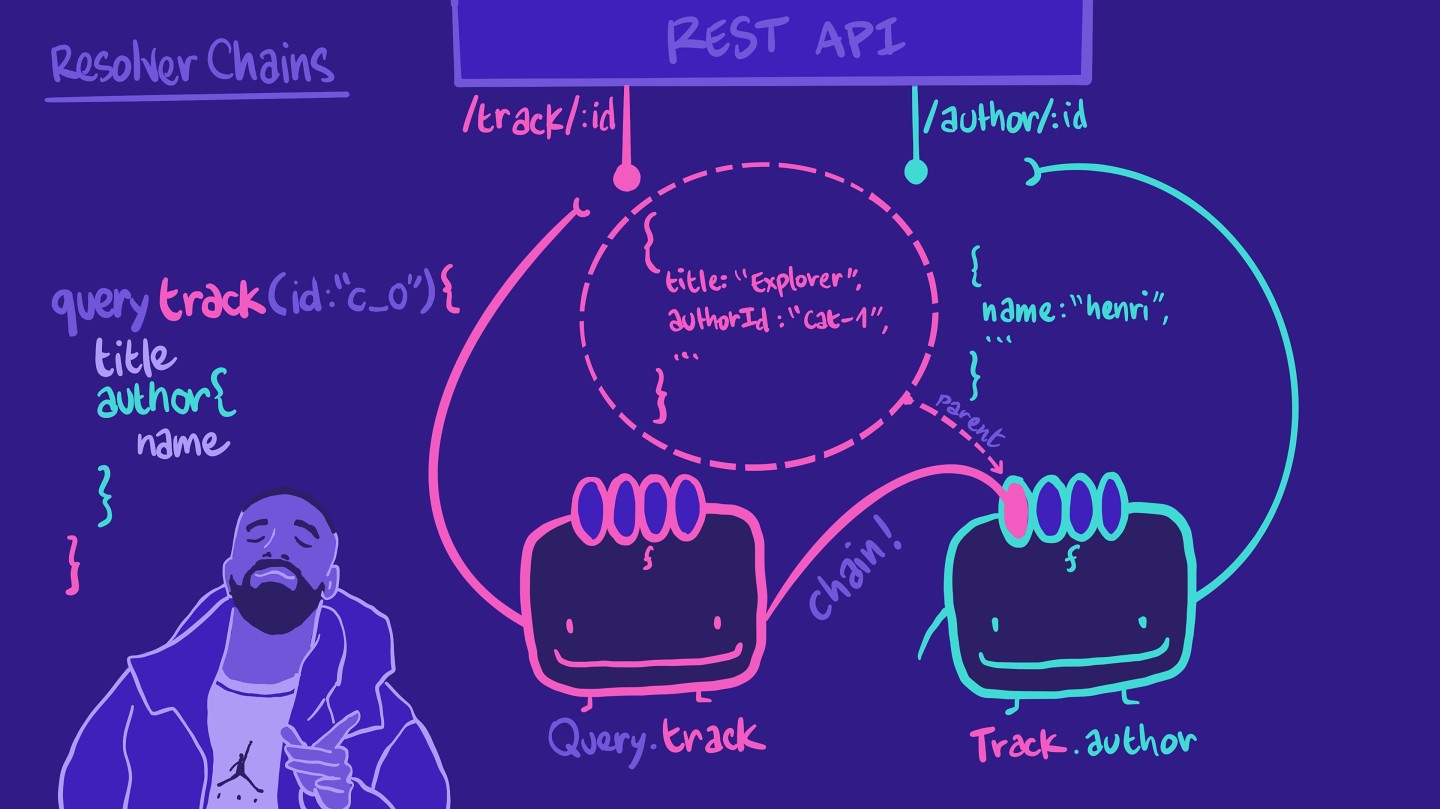
This pattern keeps each resolver readable, easy to understand, and more resilient to future changes.
✍️ Adding a new resolver to the chain
Back to our specific problem, let's use this concept of resolver chains to create a resolver for Track.modules.
We'll add this resolver right below Track.author in the resolvers.jsfile:
modules: ({id}, _, {dataSources}) => {return dataSources.trackAPI.getTrackModules(id);},
We'll destructure the first parameter to retrieve the id property from the parent, that's the id of the track. We don't need the args parameter, so that can be an underscore, and then destructure the third contextValue parameter for the dataSources property.
Inside, we can return the results of calling our dataSources.trackAPI.getTrackModules method, passing in the id for the track.
Code review
Practice
args, is an object that contains all the Drag items from this box to the blanks above
value
type
contextValuearguments
variable
infodata sources
parentfield
resolver chain
Up next
And that's it for our resolver! With that, we've got our resolvers, our datasource and our schema all updated and ready to take on our new query.
Share your questions and comments about this lesson
Your feedback helps us improve! If you're stuck or confused, let us know and we'll help you out. All comments are public and must follow the Apollo Code of Conduct. Note that comments that have been resolved or addressed may be removed.
You'll need a GitHub account to post below. Don't have one? Post in our Odyssey forum instead.