Overview
We've built resolvers and a data source—now Apollo Server needs to wire them together so they can replace our mocks.
In this lesson, we will:
- Remove mock schema setup from Apollo Server
- Pass our
typeDefsandresolversinto the Apollo Server constructor - Attach
TrackAPIto resolver context (with cache support)
Apollo Server is where all the elements we've built previously (the schema, the resolvers, and the data sources) come together in perfect coordination.
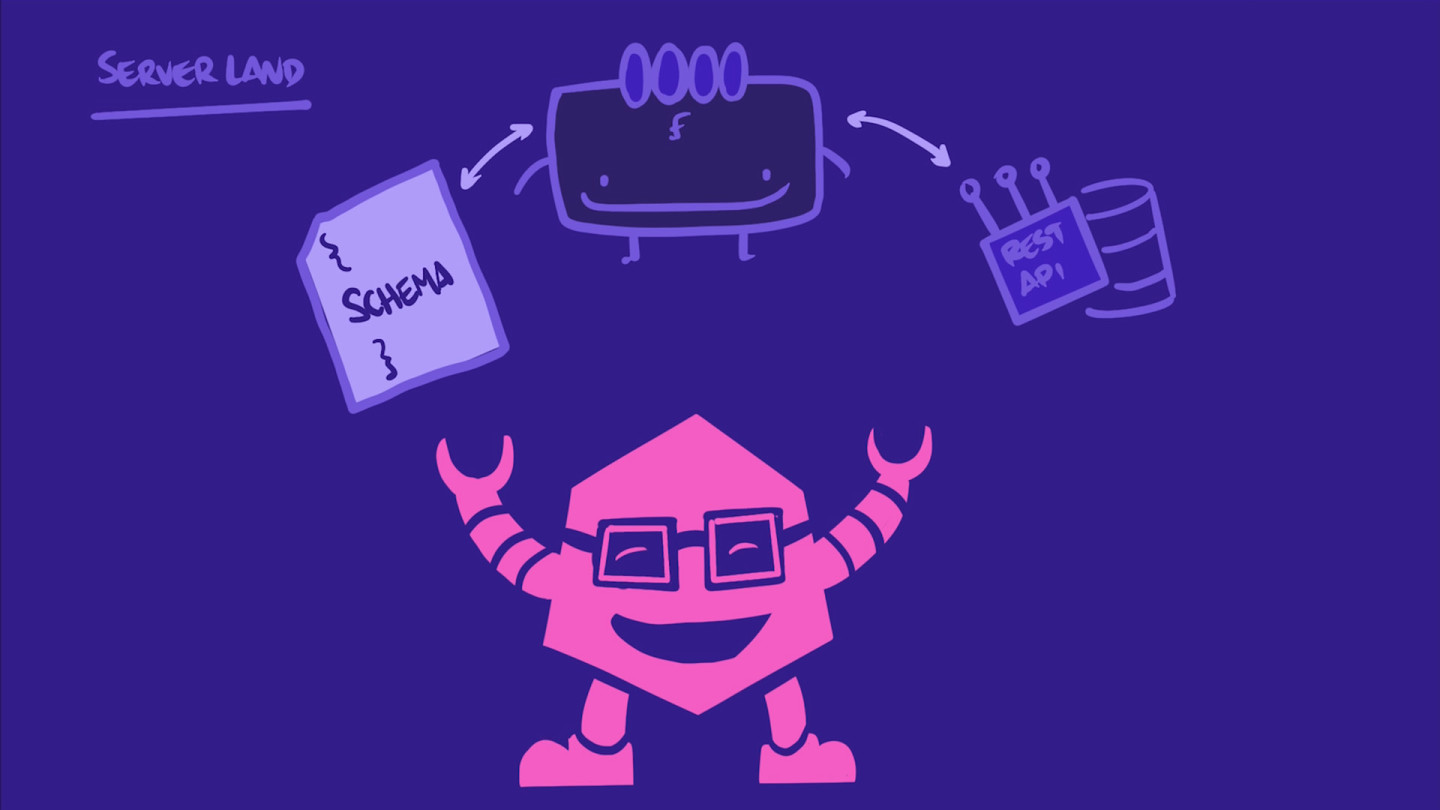
In server/src/index.js, where we configured our Apollo Server in Part I, we can now replace our mocks with resolvers.
Let's remove the mocks object, as well as all the mocks setup in the ApolloServer constructor and the imports for the mock functions.
const { ApolloServer } = require('@apollo/server');const { startStandaloneServer } = require('@apollo/server/standalone');const { readFileSync } = require('fs');const path = require('path');const gql = require('graphql-tag');- const { addMocksToSchema } = require('@graphql-tools/mock');- const { makeExecutableSchema } = require('@graphql-tools/schema');const typeDefs = gql(readFileSync(path.resolve(__dirname, './schema.graphql'), {encoding: 'utf-8',}));- const mocks = {- Query: () => ({- tracksForHome: () => [...new Array(6)],- }),- Track: () => ({- id: () => 'track_01',- title: () => 'Astro Kitty, Space Explorer',- author: () => {- return {- name: 'Grumpy Cat',- photo: 'https://res.cloudinary.com/apollographql/image/upload/v1730818804/odyssey/lift-off-api/catstrophysicist_bqfh9n_j0amow.jpg',- };- },- thumbnail: () => 'https://res.cloudinary.com/apollographql/image/upload/v1730818804/odyssey/lift-off-api/nebula_cat_djkt9r_nzifdj.jpg',- length: () => 1210,- modulesCount: () => 6,- }),- };async function startApolloServer() {const server = new ApolloServer({- schema: addMocksToSchema({- schema: makeExecutableSchema({ typeDefs }),- mocks,- }),});const { url } = await startStandaloneServer(server);console.log(`🚀 Server is running📭 Query at ${url}`);}startApolloServer();
We should end up with something that looks like this:
const { ApolloServer } = require("@apollo/server");const { startStandaloneServer } = require("@apollo/server/standalone");const { readFileSync } = require("fs");const path = require("path");const gql = require("graphql-tag");const typeDefs = gql(readFileSync(path.resolve(__dirname, "./schema.graphql"), {encoding: "utf-8",}));async function startApolloServer() {const server = new ApolloServer({});const { url } = await startStandaloneServer(server);console.log(`🚀 Server is running📭 Query at ${url}`);}startApolloServer();
Next, let's import our resolvers file at the top.
const resolvers = require("./resolvers");
And then add typeDefs and resolvers to the ApolloServer options.
const server = new ApolloServer({typeDefs,resolvers,});
That's the resolvers taken care of.
Next, just below our resolvers import, we'll require track-api, our data source file (extending RESTDataSource), and call it TrackAPI (note the PascalCase convention, as we're dealing with the class here).
const TrackAPI = require("./datasources/track-api");
To connect our server with our TrackAPI, we'll jump down to the startStandaloneServer function. This function takes a second argument, which is an object for configuring your server's options.
const { url } = await startStandaloneServer(server, {// TODO: configure server options});
This is where we'll define a context function that returns an object that all our resolvers will share: contextValue (that third positional argument we talked about earlier!).
Let's set a context property as an async function, which returns an object.
const { url } = await startStandaloneServer(server, {context: async () => {// this object becomes our resolver's contextValue, the third positional argumentreturn {// TODO};},});
Remember, we want to access the dataSources.trackAPI (and its methods) from the contextValue parameter of our resolvers. So let's return an object that allows us to do just that!
We'll set a dataSources property inside the object, which is set to another object. This object will have a trackAPI key, which returns an instance of the TrackAPI data source class we imported earlier.
const { url } = await startStandaloneServer(server, {context: async () => {return {dataSources: {trackAPI: new TrackAPI(),},};},});
Note: Our resolver functions expect to find dataSources.trackAPI on their contextValue, which is why we've defined a property called dataSources here in our server. This particular name isn't a requirement; we chose dataSources as a matter of convention. You can give this property whatever name you'd like, but be sure that you update your resolver functions to access the same property.
One last thing! To take advantage of the RESTDataSource's caching capabilities, we need to pass in the server's cache to our TrackAPI.
Just before we return the contextValue object, let's destructure the cache property from the server. Then, we'll pass in an object to the TrackAPI class, containing that cache property.
const { url } = await startStandaloneServer(server, {context: async () => {const { cache } = server;return {dataSources: {trackAPI: new TrackAPI({ cache }),},};},});
To learn more about the options that ApolloServer can receive, check out the documentation.
Code review
Practice
We have a class called SpaceCatsAPI, which implements a RESTDataSource. We need to access an instance of this class, which we'll call spaceCatsAPI, from our resolvers. Configure the server below so that our resolvers can access this class through the dataSources.spaceCatsAPI property they receive on their contextValue argument. (Watch out, this is case sensitive!)
dataSources object from the server's context function?Up next
Our server is now fully configured to work with live data. Let's query it and see live data in action.
Share your questions and comments about this lesson
Your feedback helps us improve! If you're stuck or confused, let us know and we'll help you out. All comments are public and must follow the Apollo Code of Conduct. Note that comments that have been resolved or addressed may be removed.
You'll need a GitHub account to post below. Don't have one? Post in our Odyssey forum instead.